

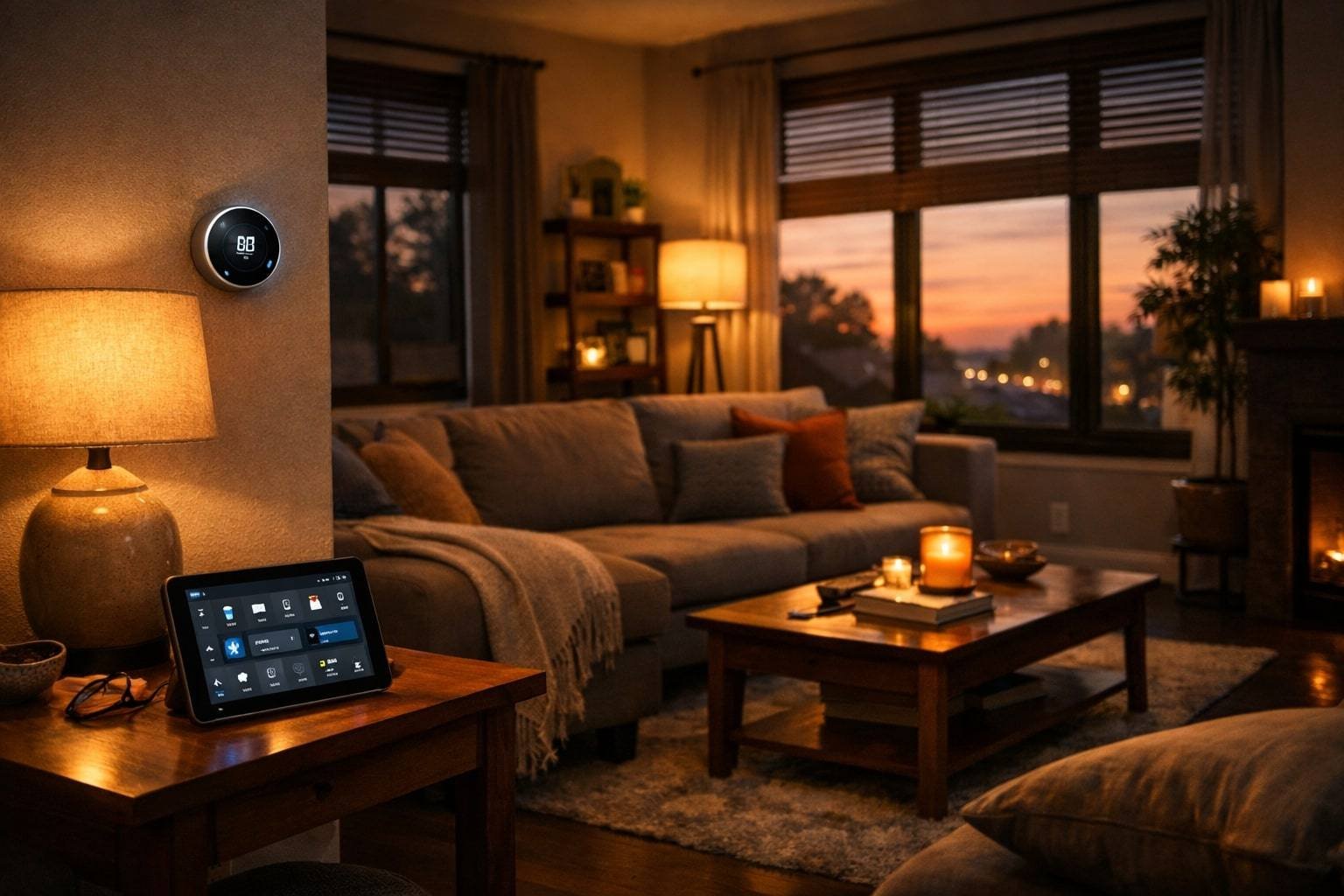
A professional smart home installer can transform your daily routine. Walk into your house after a long day—the porch light is already on, your door unlocks as you approach, and inside, the temperature is exactly where you like it. The blinds are drawn just enough to let in evening light, and your favorite playlist starts playing softly in the background.
It is not a privilege of tech billionaires anymore. It’s what a good installer can build for you, and it’s more accessible than most people think.
However, the truth of the matter is that it is easy to buy smart devices. Getting them to cooperate reliably, safely, and work together in a manner that would help your life? It is at that point when complications arise. It is impossible to simply have a dozen gadgets pluggedin and then expect them to act as a cohesive machine. The vast majority of homeowners who go the DIY route end up with a shelf full of apps, devices that refuse to communicate with one another, and a voice in their head that their smart home is rather dumb.
When it comes to professional installers, that is where professional installers come in. They’re not just mounting cameras and pairing devices. They’re designing systems that fit how you live, wiring infrastructure that supports future upgrades, and configuring everything so it actually works when you need it.
A smart home installer is a trained professional who designs, installs, configures, and maintains residential automation systems. They specialize in integrating smart devices, protocols, and platforms into cohesive systems that provide reliable security, energy efficiency, and convenience. Unlike general electricians, these specialists understand IoT networking, device interoperability, and system programming.
This guide is based on how professional installers actually plan, build, and maintain real systems in U.S. homes, covering what works, what doesn’t, and what you need to know before spending a dollar.
Whether you’re considering automating your home or fixing a DIY setup that’s gone sideways, this will help you figure out your next move.
What a Smart Home Installer Actually Does
A smart home installer is someone who designs, installs, and configures home automation systems. Imagine that they are the connection between the gadgets you purchase and the smoke-free experience you are hoping for.
The following is what this would look like:
Planning and Design
A good installer visits your house, questions you about it, before they start installing anything. What matters to you? Security? Energy savings? Entertainment? Do you want voice control in every room, or just a few key areas?
They’re looking at your home’s layout, checking your Wi-Fi coverage, noting where your electrical panel is, and figuring out which devices will work best given your budget and goals. This is no sales pitch, but an evaluation.
The result is a plan: which devices go where, how they’ll communicate, what infrastructure needs upgrading, and how the system can expand later without starting over.
Installation and Wiring
There are smart devices that are plug and play. Many aren’t.
Smart switches need neutral wires (which older homes often lack). Security cameras need power and good placement for coverage. Hubs need to be centrally located for signal reach. Some setups require running low-voltage cables through walls, attics, or crawl spaces.
Installers handle this either directly or by coordinating with licensed electricians when high-voltage work is involved. They install the wiring correctly, lack of wire, and hides then ensure all is to code.
Configuration and Integration
It is that with which the magic works,–or not, when you do not know how to do it.
Devices need to be added to the right network, paired with the correct hub, assigned to rooms, given meaningful names, and programmed with rules that make sense for your household. A qualified professional makes sure your Zigbee lights talk to your hub, your cameras integrate with your security system, your voice assistant recognizes commands in every room, and your automated routines actually trigger when they’re supposed to.
And they install your network too. That might mean creating separate VLANs for IoT devices, configuring your router for better range, or adding mesh nodes to eliminate dead zones.
Programming Routines and Scenes
The difference between a collection of smart devices and an actual smart home is automation.
The blinds burst open when you speak good morning, the lights come on slowly, the thermostat goes up, and your coffee machine turns on. When you arm your security system at night, doors lock automatically, outdoor lights turn on, indoor lights turn off, and motion sensors activate.
These are not ready templates. They are the personalized habits created according to your taste.
Testing and Troubleshooting
After all the installation is done, a professional tests it, not only to determine whether devices can turn on, but also to ensure that they are reliable.
They check signal strength, verify automation triggers work consistently, test remote access, and make sure the system recovers properly if your internet or power goes out briefly.
They do not give up and walk away when something fails. They investigate, and it is clear how they correct issues.
Training and Handoff
Lastly, they demonstrate the use of everything. Not just “here’s how to unlock the app,” but actual training: how to adjust schedules, add new devices, troubleshoot common issues, and who to call when something breaks.
You get documentation too, system diagrams, device lists, login credentials, and warranty information. Should you sell your house in five years, the next occupant can check on this and know what is in place.
DIY vs. Professional Installation: Where the Line Is
There are projects of smart homes that are worth doing personally. Others really don’t.
When DIY Works Well
DIY works well for:
- Plugging in a smart speaker or two
- Replacing a few light switches with smart versions (if you’re comfortable with basic electrical work)
- Adding a video doorbell or a couple of cameras
- Installing a smart thermostat (if your system has standard wiring)
- Setting up smart plugs and bulbs
When you want to add a few devices that can operate separately, but you don’t mind fussing when they don’t conform to expectations, DIY will save you money.
When Professional Installation Makes More Sense
Professional installation makes more sense when:
- You’re automating multiple rooms or your entire home
- You need devices from different brands to work together seamlessly
- Your home needs wiring upgrades or infrastructure work
- You want a centralized control system, not ten different apps
- Security is a priority (cameras, sensors, alarms, monitoring)
- You’re not interested in becoming a part-time tech support specialist
The tipping point is usually around $5,000 in equipment and complexity. Beneath that, DIY has the potential to save you money. Above that, the gap between what works and what you’ll actually use gets wider, and a professional pays for themselves in reliability and time saved.
The Real Cost of DIY
It appears more affordable because DIY does not compensate labor. Yet here is what they do not so very frequently reckon:
Time spent researching compatibility, reading forums at 11 p.m. because your Zigbee switch won’t pair, buying devices that end up incompatible, upgrading your router mid-project because your network can’t handle the load, and rerunning cables you installed wrong the first time.
If you’re billing $50-100/hour in your actual job, spending 40 hours on a home automation project isn’t “free,” it’s costing you $2,000-4,000 in time you could’ve spent working, or just living.
In straightforward projects, that is alright. In case of complex ones, it sums up quickly.
What to Look for When Hiring a Smart Home Installer
Not all two installers are made equal. Some are very qualified and certified professionals. Others are electricians or AV installers who’ve added “smart home” to their list of services without deep expertise.
These are the ways to distinguish them.
Certifications Matter
CEDIA certification is the gold standard. It is a nonprofit association of the residential technology industry that trains and certifies professionals. They are certified in:
- CIT (Cabling and Infrastructure Technician) – for proper wiring and low-voltage work
- IST (Integrated Systems Technician) – for system design and installation
- ESC-N (Networking Specialist) – for network infrastructure and connectivity
- ESC-D (Designer Specialist) – for advanced system design
These aren’t weekend courses. They need actual information, examination, and continuous learning.
Beyond CEDIA, manufacturer certifications matter too. Control4, Crestron, and Lutron all have certified dealer programs. When you are purchasing one of these systems, you wish to find a person who is actually trained on such systems.
Experience with Your Type of Project
A great installer for a new construction luxury home might not be the right fit for retrofitting a 1920s craftsman. Ask about similar projects.
Have they dealt with houses like yours? Do they have experience with the devices or platforms you’re considering?
Request references. Talk to past clients. Inquire about what was good and what was not, and whether they would recommend this installer again or not.
Technical Knowledge
During your consultation, pay attention to how they talk about your project. Do they ask good questions? Do they communicate tradeoffs? Do you see how much more one solution is expected to cost you, but provide you with X benefit?
Be wary of installers who:
- Push specific brands without explaining why they’re recommending them
- Promise everything will work perfectly with no potential issues
- Can’t explain what happens if their company goes out of business
- Aren’t interested in understanding how you actually use your home
Licensing and Insurance
For any electrical work, you need a licensed electrician—either the installer themselves or a partner they work with. Verify this. Ask to see licenses. Make sure they’re current.
Insurance matters too. General liability insurance protects you if they damage your property. Workers’ comp protects you if someone gets hurt during the installation.
Transparent Pricing
Through good installers, they provide detailed quotes which are subdivided as equipment costs, labour, and other possible fees that might occur. You need to know what you are paying.
Be cautious of quotes that lump everything into one vague “installation fee,” or that don’t mention potential issues like needing to upgrade your electrical panel or router.
Support and Warranty
What happens after installation? Do they offer a warranty on their work? Do you call them when something ceases to work?
Some installers offer annual maintenance contracts. Others charge as needed. Any of the two is fine, but you have to know in advance.
How Much Does a Smart Home Installer Cost?
When hiring a smart home installer, expect to invest anywhere from $2,000 to $50,000+, depending on what you’re automating. This is not cheap, but it’s also more affordable than many expect, especially compared to other home improvement projects.
Hourly Rates
Installers typically charge $75-200 per hour, depending on certification, experience, and location.
Urban markets (New York, San Francisco, Los Angeles) run higher. Rural areas run lower. Certified CEDIA installers and specialists working with high-end systems (Control4, Crestron) are at the top of that range.
Project-Based Pricing
The majority of installers are project-based, but not hourly quoted. The common prices of different levels are:
Basic Setup: $2,000 – $5,000
This covers entry-level automation: a smart thermostat, a video doorbell, a handful of smart switches, maybe a couple of cameras. You get basic routines programmed, one or two voice assistants set up, and mobile app access.
Mid-Range Whole-Home System: $5,000 – $15,000
Now you are automating your home most. Smart lighting in main living areas, a proper security system with multiple cameras and sensors, integrated climate control, voice assistants throughout, motorized shades in key rooms, maybe distributed audio in a few spaces. It is all upgraded in your network to make everything reliable.
Premium Installation: $15,000 – $50,000
This level brings professional-grade equipment and comprehensive automation. You’re looking at platforms like Control4, Savant, or high-end Crestron. Complete lighting control across the entire home, advanced security with professional monitoring, whole-home audio, home theater integration, motorized window treatments throughout, custom programming, and polished interfaces.
Luxury Systems: $50,000 – $150,000+
This is where something really extraordinary is being created. Top-tier Crestron or Lutron systems, architectural lighting design, distributed AV across a large property, advanced motorization, pool and spa control, outdoor automation, multiple equipment racks, custom interfaces throughout, and white-glove ongoing support.
What Affects Cost
Home Size: Bigger homes need more devices, more wiring, and more labor. A 1,500 sq ft condo costs less than a 5,000 sq ft house, even with similar feature sets.
Infrastructure Condition: If your home needs electrical upgrades, new network equipment, or significant wiring, costs rise. New construction is cheaper to automate than older homes needing retrofitting.
Quality of the devices: Consumer-level devices in Amazon or Best Buy are less expensive than professional-level devices. But professional equipment typically offers better reliability, longer lifespans, and superior integration.
Customization: Off-the-shelf routines are faster to program than highly customized automation that fits your exact preferences.
Continuity of Support: There are quotations for one year of support. Others don’t. Make sure you’re comparing apples to apples.
Return on Investment
Smart home installation pays back in several ways:
Energy savings: Properly configured climate control and lighting automation typically cuts utility bills 10-30%. On a $200/month heating and cooling bill, that’s $240-720 annually.
Insurance discounts: Many insurers offer 5-20% discounts on homeowner’s insurance for monitored security systems, smart leak detectors, and other risk-reducing automation.
Property value: Professionally installed smart home systems can increase home value by 3-5%. On a $500,000 home, that’s $15,000-25,000 in additional value.
Avoided damage: A single prevented water leak or break-in can save thousands in repairs and deductibles.
Technologies and Platforms That Matter
When hiring a smart home installer, understanding the major platforms and protocols helps you make smarter decisions about which system will work best for your home.
Smart home tech moves fast. New products launch monthly. But underneath the chaos, a few platforms and protocols dominate.
The Major Platforms
The most popular voice assistant in the US, Alexa, works with an enormous range of devices. When a product suggests that it is smart, then it is likely that it works with Alexa.
Best for: Wide device compatibility, affordable entry point, strong voice control, integration with Ring security products.
Google Home / Assistant
Google’s strength is intelligence. It has great voice recognition and is contextually aware, which competitors are not. It integrates beautifully with Nest products and anything Google.
Best for: Superior voice understanding, strong integration with Nest thermostats and cameras, Android users, and homes where multiple people need personalized responses.
Apple HomeKit
HomeKit prioritizes privacy and local control. Voice data doesn’t leave your home network. Setup is stricter—devices need certification, which means fewer options but higher reliability.
Best for: Apple users who value privacy, homes where local control matters (works even when the internet is down), seamless integration with iPhones, iPads, and HomePods.
Samsung SmartThings
An open platform that supports Zigbee, Z-Wave, and Wi-Fi devices. It’s flexible, supports a huge range of hardware, and offers powerful automation.
Best for: Homeowners who want flexibility, integration across many brands, and solid automation capabilities without going full professional-grade.
Control4, Crestron, Savant
These are professional-only systems requiring certified installers. They’re closed ecosystems, but they work with virtually everything through custom programming.
Best for: Premium installations where reliability, polish, and comprehensive integration matter more than DIY flexibility.
Home Assistant
The leading open-source platform for tech-savvy users. Runs locally, supports nearly every device imaginable, offers incredible customization, and respects privacy.
Best for: People who enjoy tinkering, want complete control, value privacy, and have the technical skills to configure it.
Protocols: How Devices Talk to Each Other
Smart home devices communicate using different wireless protocols. Understanding these helps avoid compatibility headaches.
Zigbee: A low-power mesh network protocol used by Philips Hue, many sensors, and smart switches. Devices transmit signals among themselves and increase the range of coverage.
Z-Wave: Similar to Zigbee but uses a different frequency, which means less interference. Popular in locks, thermostats, and security devices.
Wi-Fi: Direct connection to your home network. No hub required, but 30 Wi-Fi devices can overload routers designed for laptops and phones.
Thread: A newer mesh protocol built into Matter. Low power like Zigbee and Z-Wave, but with better range and native internet connectivity.
Matter: The newest protocol and the most important development in years. It’s a unified standard backed by Apple, Google, Amazon, Samsung, and hundreds of manufacturers. Matter devices work across all major platforms—no more “works with Alexa but not HomeKit” nonsense.
Very young, but the adoption is picking up. When buying new devices, look for Matter certification.
What’s Changing
Matter is gaining momentum. More devices are launching with Matter support, and platforms are embracing it. Within a couple of years, the compatibility chaos should ease significantly.
AI is getting smarter. Voice assistants are improving at understanding context, predicting what you want, and automating routines without manual programming.
The business of energy management is becoming hot. With rising electricity costs and growing EV adoption, smart homes are increasingly focused on load balancing, solar integration, and time-of-use optimization.
Privacy concerns are shifting preferences. There is a growing popularity of the local-first systems that do not send data to the cloud. Platforms like Home Assistant and Apple HomeKit are benefiting.
Is Professional Installation Worth It?
For some people, absolutely. For others, not yet. Here’s how to decide.
When It Makes Sense
You are automating a number of rooms or your entire home. It is exponentially more complicated to produce anything that is reliable when it is put together.
You care about reliability more than cost savings. DIY setups work great—until they don’t. If you want automation that just works without thinking about it, hiring a professional is the right move.
Your home needs infrastructure work. Running cables, upgrading electrical panels, and configuring VLANs, this is where professionals earn their money.
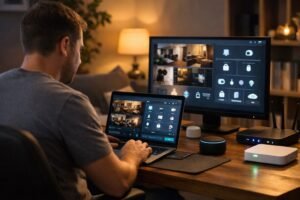
You value your time. If spending 30-50 hours researching, installing, and troubleshooting sounds exhausting, hire someone.
Security matters. DIY security might be better than nothing, but professional installation ensures proper coverage, secure configuration, and reliable monitoring.
When DIY Might Be Better
You have a limited budget, and you have minimal needs. If you’re just adding a thermostat and a few smart switches, paying $2,000 for installation doesn’t make economic sense.
You like to know such stuff. Some people love tinkering with technology. Provided it is, DIY can really be entertaining.
You’re renting or moving soon. Professional installation makes more sense for homes you’ll stay in long enough to benefit from the investment.
You are technically assured. If you troubleshoot your own computer issues, configure your router settings, and aren’t intimidated by device manuals, DIY smart home projects are within reach.
The Hybrid Approach
DIY basics, such as smart speakers, a thermostat, and some plugs, are an excellent place to begin, where many people explore what they like. Once they’re ready for whole-home automation, they hire a professional who can integrate their existing devices and expand properly.
This works well. You can cheaply fool around, and once you are in a position to go big, you have a better understanding of what you desire.
Real-World Use Cases
The possibility of smart home technologies makes sense. This is the way it can be useful in reality.
Security That Actually Works
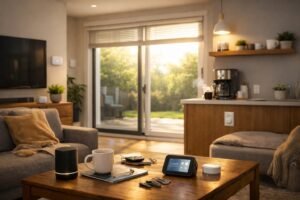
A professional security system combines cameras, motion sensors, door/window sensors, smart locks, and a video doorbell into one integrated setup.
The doors are automatic when you arm it at night. You receive an immediate notification with live video images in the unexpected opening of any door. As long as somebody comes to your door, you notice them on your phone, and they have not even reached your door.
One homeowner caught a package thief because their system automatically recorded when motion was detected and sent an alert. Clear footage was acquired by the police within minutes.
Energy Savings That Show Up on Bills
A couple in Arizona hired a professional to set up thermostats with room sensors, automated blinds, and smart lighting. The system was programmed to precool the house during cheaper morning electricity rates, close blinds automatically when the sun hit certain windows, and adjust the temperature based on which rooms were occupied.
Their cooling bill dropped 26% the first summer. Over five years, they’ll save more than the installation cost just from electricity.
Aging Parents Staying Independent Longer
One family installed a smart home with the consent of their father in his house. Motion sensors tracked movement patterns. In case he did not rise before a specific time, they received an alarm.
Smart locks let them check if doors are locked and lock them remotely. A video doorbell lets him see visitors without going to the door. Voice assistants let him control lights and temperature without reaching switches.
He stayed in his home three extra years before needing assisted living. The system provided him with self-sufficiency and tranquility in the family.
Property Managers Saving Time and Money
A property manager automates vacation rentals with smart locks (guests get codes that expire after checkout), cameras monitoring entrances, smart thermostats preventing energy waste between bookings, and leak detectors sending alerts before minor leaks become insurance claims.
Over 12 properties, he estimates saving 15 hours monthly on lockouts, maintenance checks, and manual thermostat adjustments. In addition, the increased cost of emergency repair due to unnoticed leakage.
Remote Workers Creating Productive Spaces
A software engineer had her installer create a “work mode” routine. One command closes office blinds, adjusts lighting for video calls, sets the thermostat cooler, activates a white noise machine in the hallway to reduce distractions, and locks the front door if she forgot.
At 5 p.m., “end work mode” reverses it all. Not complicated, yet it establishes a clear separation between work-life and home without having to ponder about it.
Questions Homeowners Actually Ask
How much does a smart home installer cost?
For most homeowners doing meaningful automation, expect $5,000-15,000. That covers smart lighting in main areas, security cameras, door sensors, smart locks, a couple of thermostats, voice assistants throughout, network upgrades, and professional programming so it all works together.
Entry-level projects (thermostat plus a few switches and cameras) run $2,000-5,000. Premium whole-home systems with high-end equipment start around $15,000 and climb from there depending on home size and features.
Can I add more later without starting over?
Yes, should your installer have the idea.
Good system design includes room for expansion, extra capacity in your network, hubs that support additional devices, and platforms that scale easily. This is one of the pros of collaborating with a qualified professional. They are not necessarily looking at today only, but three years down the road.
What happens if my installer goes out of business?
This is a legitimate concern. Keep yourself safe by selecting open platforms or semi-open platforms.
Systems like Home Assistant, SmartThings, or even Control4 (which has a large dealer network) can be serviced by other professionals. Ask for complete documentation—system diagrams, programming backups, device lists, and login credentials.
If your installer disappears, another qualified professional can step in. Avoid obscure proprietary systems with single points of failure.
Do I need to upgrade my internet or router?
Probably.
Consumer routers are designed for laptops, phones, and TVs—maybe a dozen devices. Smart homes can easily have 30-50 devices. You’ll need a router that can handle the load, possibly a mesh system for coverage, and proper network configuration so devices don’t interfere with work-from-home video calls.
Budget $200-800 for network upgrades, depending on home size.
What if my internet goes out?
Most smart home systems are cloud-dependent. No internet means no remote access and limited automation.
But local control still works. You can flip smart switches manually, use physical keypads, and often trigger scenes locally without internet. Platforms emphasizing local control (Apple HomeKit, Home Assistant) handle outages better than those heavily reliant on cloud services.
Are smart homes secure, or am I creating vulnerabilities?
Both, honestly.
Smart devices can be vulnerable, especially cheap ones with poor security. But professional installation dramatically reduces risk through proper network segmentation, strong passwords, regular firmware updates, and security-focused configuration.
Most security breaches happen because someone used default passwords, didn’t update firmware, or put every device on the same network as their laptop. This is done in the right way by a trained professional.
Can this work in an old house?
Absolutely.
Older homes actually benefit significantly from smart upgrades—better security, improved efficiency, and modernization without major renovation. Challenges include a lack of neutral wires at switches (solvable with battery-powered switches or adding wires), thick walls interfering with wireless signals (solved with mesh networks), and occasionally needing electrical panel upgrades.
Seasoned installers are aware of workarounds. Retrofit automation is common now.
How long does installation take?
Small projects could require a day or two.
A full-home system with lighting, security, climate control, and entertainment typically takes 5-10 days. Complex installations requiring extensive wiring or custom programming can stretch to several weeks.
Timeline depends on home size, project scope, and how much infrastructure work is needed.
What about privacy? Who sees my camera feeds?
This is determined by your choice.
The cameras are connected to the cloud, where the footage is transmitted to the company servers. Those companies are storing it, some merely relaying it to you, and others train their AI using it. Read the terms of service.
The local storage facility stores the footage in devices at home. Apple HomeKit Secure Video encrypts footage end-to-end, so even Apple can’t see it. Discuss privacy concerns with your installer. They are capable of prescribing systems based on your level of comfort.
Should I wait for Matter to mature?
Matter is launching now, but device selection is still limited.
You don’t need to wait, just choose platforms committed to Matter (Apple, Google, Amazon) and buy Matter-compatible devices when available. Most quality systems can be upgraded or expanded with Matter devices later. Today is no longer the key to the doors.
Making the Decision
Smart home installation is more accessible than it used to be, but it’s still an investment.
Here’s how to think through it.
Being with your real issues. Don’t automate for automation’s sake. What makes you feel annoyed about your house? Forgetting to lock doors? Lights turned on that are not necessary? Worrying about security when traveling?
Solve real problems first. The rest will occupy the same way, when it makes sense.
Talk to multiple installers. Get quotes from 2-3 companies. Keep a watch on their treatment of your project. Do they ask good questions? Do they push equipment or listen to needs?
The best smart home installer isn’t always the cheapest or most expensive—it’s the one who understands what you want and explains how they’ll deliver it.
Think about long-term costs. Installation is just the beginning. Factor in potential subscription fees, maintenance contracts, and replacement costs for devices that eventually fail.
Allow a phase in case of a limited budget. There’s no need to put everything in place simultaneously. Start with high-impact areas, such as security, lighting, and climate, and expand later. Explore more smart home ideas to plan your automation journey effectively. Just make sure your installer designs infrastructure that supports future growth.
Don’t overthink protocols and technical details. Your installer handles this. Be result-oriented: I want one app to do it all, or the privacy is essential, or I need to show the house to the buyers with this one having to work first.
Professional smart home installation works when it solves problems you actually have, fits your budget realistically, and delivers convenience without creating a second job managing it. When these overlap, it is truly transformational.
The revolution of a smart home has arrived. It is not whether you can or cannot automate your life, but it is whether you will violate cards. Is your investment worth its cost?